
UP Board Results 2026: The Uttar Pradesh Madhyamik Shiksha Parishad (UPMSP) had conducted Class 10th & 12th board from February 18 to March 12, 2026. Before the written exams, practical examinations were successfully organized earlier in month of january according to the board’s official time table.
The UPMSP Results 2026 are expected to be released soon, most likely in April month. Once revealed, students are able to check their results online through the official portal upmsp.edu.in. To get the result, students will are required to enter their examination roll number and district name on the portal. After submission of these details, the UP Board scorecard will get displayed on the screen.
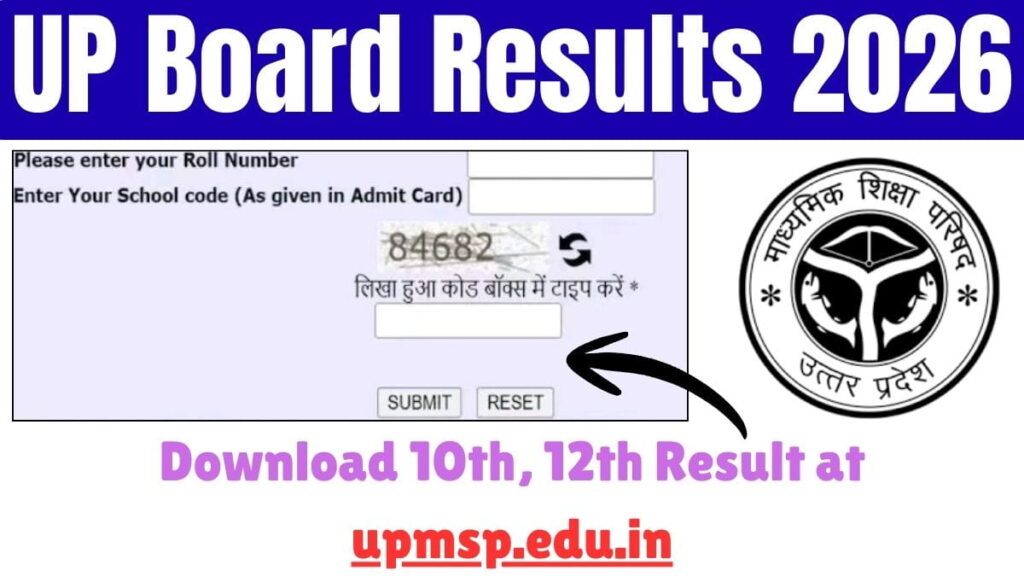
Uttar Pradesh Madhyamik Shiksha Parishad Results
Uttar Pradesh Board Result 2026 Highlights
| Events | Information |
| Board | Uttar Pradesh Madhyamik Shiksha Parishad (UPMSP), Prayagraj |
| Exam | Uttar Pradesh Board Exams |
| Class | 10th and 12th |
| Class 10 Exam Dates | 18 February – 12 March 2026 |
| Class 10 Practical Exam Dates | January 2026 |
| Class 12 Exam Dates | 18 February – 12 March 2026 |
| Class 12 Practical Exam Dates | January 2026 |
| Uttar Pradesh Board Result Date | Announced Soon |
| Official Website | upmsp.edu.in |
How to Check Uttar Pradesh Board 10 Result Online?
To check the Uttar Pradesh -Board Result of Class 10, follow the following simple steps:
- Go to the authority’s official website at upresults.nic.in or results.upmsp.edu.in.
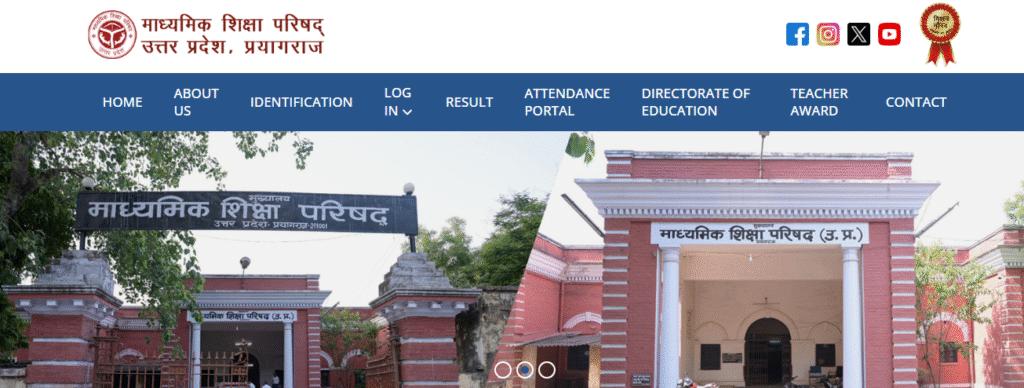
- It will lead to the homepage of the UPMSP Result 2026.
- Select Check Uttar Pradesh Board Result 2026 Class 10 by Roll Number.
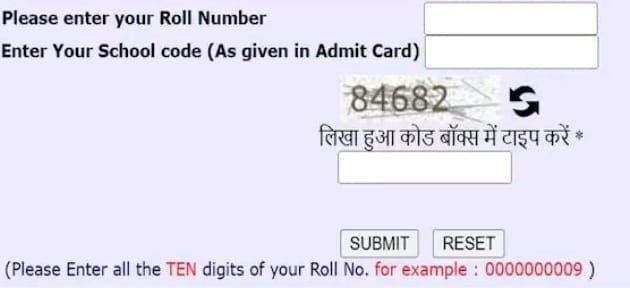
- A window with new results will be opened in the screen and students will be asked to fill in roll number and captcha code.
- After that, press the button of View Result and submit to check the result online.
- The result of UP Board Class 10 will be displayed on the screen.
- Download a copy of the UP Board Marksheet to be used later.
How to Check Uttar Pradesh Board 12 Result Online?
- Go to the official web page, upresults.nic.in.
- Click on the Uttar Pradesh Board 12th Result 2026.
- key-in roll number and school code of the student.
- Enter captcha and click submit.
- On screen, the online upnic.in Result 2026 Class 12 will be opened.
- Print out or screen shot the UPMSP Result 2026 Class 12.
UPMSP Result 2026 Via SMS
Students are able to access their Class 10 and 12 UP Board Result 2026 through SMS by entering a text message with a particular format in a given number as mentioned below:
Go to the the SMS section in your mobile phone. The next step is to write a message in the following format:
- For 10th: UP10roll_number
- For 12th: UP12roll_number
Then, send it to 56263. The UP Board Result 2026 for 10th or 12th will be sent after some time as SMS to the same number.
UP Board Result 2026 Name Wise
To check their results under the name of UP Board 2026 Class 10 and Class 12, students have to enter their name & accessed by taking the subsequent steps:
- Get to the India Result web page and tap Uttar Pradesh.
- Click on the UP Board High School Result 2026 or the UP Board Intermediate Result 2026 link.
- Type in the name of the student in Name field, and press.
- Find and filter a student by the name of his/her parents.
- Select the respective ‘Get Result’ button.
- The name of the result of UP Board 2026 will appear on the screen.
- Make a printout or screenshot of it and compare it with the official website, upresults.nic.in 2026.
Checking of UP Board Result 2026 in DigiLocker
Along with the official websites and SMS facility offered by the UP Board, students can access their UP Board result documents through their school premises and in their DigiLocker. To access your results in DigiLocker follow the following steps:
- Go to the site of digilocker.gov.in.
- Enter on your mobile number or security PIN. You can create an account in case you do not have one.
- Students are able to use Aadhaar card number to create their DigiLocker account.
- After registering yourself, log in to your DigiLocker.
- Visit HSC/HSSC Marksheets to see your 10th and 12th grade marksheet.
- The new window will have the UP State Board of High School and Intermediate Examinations.
- Type in roll number and then choose the year in which the candidate graduated with the UP Board in the drop-down menu.
- Note down Save the UP Board Result 2026 Class 10, 12.
How to Download UP Board Date Sheet 2026?
- Visit the official UPMSP web page: upmsp.edu.in.
- On the homepage, locate the “Important Notification & Download” section.
- Click on the link titled “UP Board High School and Intermediate Time Table 2026.”
- The date sheet will open as a downloadable PDF.
- Download and take a printout of the date sheet for regular reference.
FAQ’s on UPMSP Board Exam Results
When will the UPMSP Board Exam Results will be out?
They are expected to be released soon on the authority official web portal in coming month.
How can students acess the UP Board marksheet?
Students can download their mark sheet from upmsp.edu.in as a PDF file.
What are the credentials required to get the UP Board Results?
To get the result, students will are required to enter their examination roll number and district name on the portal.